NFC vs QR Business Cards: Which Should You Choose?
NFC or QR for your digital business card? Compare speed, device support, print costs and what to do when a tap fails.
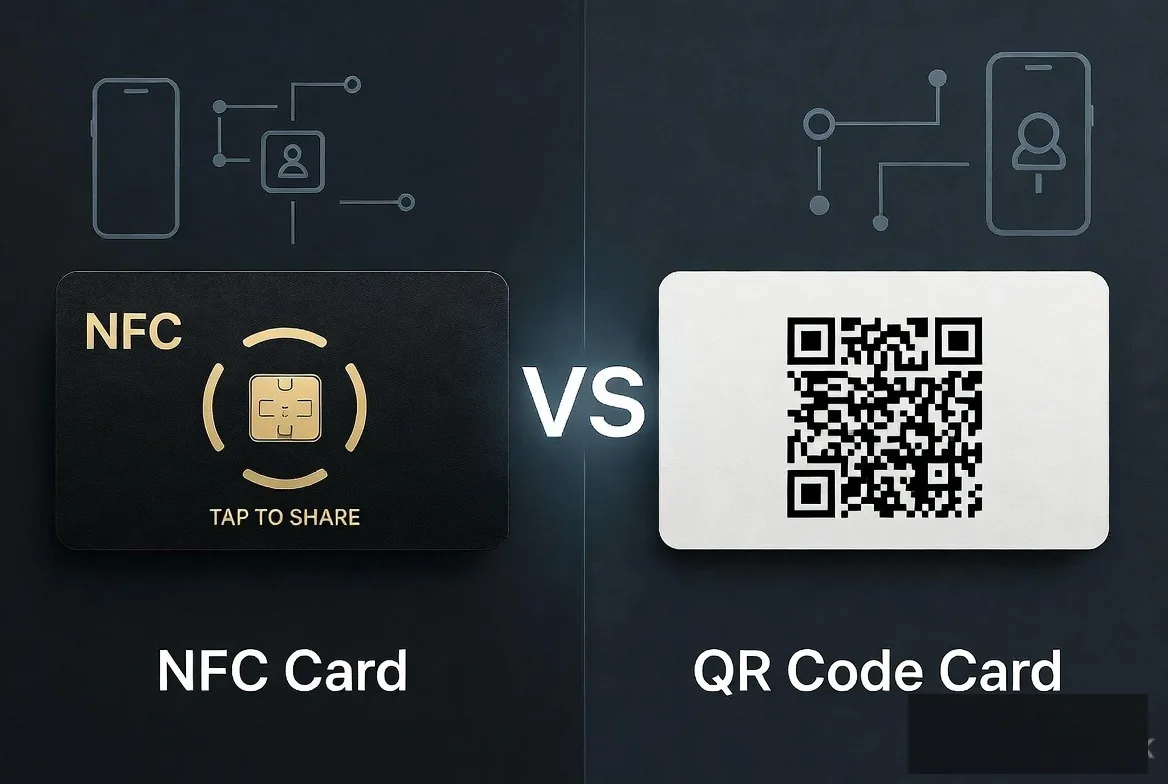
NFC is faster and feels better in a one-to-one handshake, while QR reaches anyone with a camera and costs nothing to print. Both open the same digital business card profile, so the right answer for most professionals is to carry an NFC card with a QR code printed on it.
Key takeaways
- NFC needs compatible hardware that is switched on. QR only needs a camera.
- NFC is the faster option in person; QR is the only option at distance or on a screen.
- Both point at the same URL, so choosing one does not change your profile or your analytics.
- QR costs nothing extra to add, which makes it the sensible fallback on every card you print.
NFC vs QR digital business cards at a glance
| NFC tap | QR scan | |
|---|---|---|
| Range | 2 to 4 cm | Anywhere the code is legible, including across a room |
| Recipient action | Hold phone to card, tap the banner | Open camera, aim, tap the notification |
| Hardware needed | NFC chip plus an NFC-enabled phone with NFC on | Any phone camera |
| Works on a screen | No | Yes |
| Cost to add | Chip in the card | Ink |
| Works one-handed | Yes | Usually needs two hands |
| Low light | Unaffected | Can struggle |
| Reaches a crowd at once | No, one person at a time | Yes |
| Feels premium | Yes, the tap is the moment | Neutral |
When NFC wins
One-to-one, in person
At the point of a handshake, NFC removes every step: no camera app, no aiming, no asking someone to hold still. You hold the card to the back of their phone and the profile appears. The interaction takes about two seconds and keeps eye contact intact, which helps in a sales conversation.
Awkward environments
Dim bars, crowded stands, outdoor sites in bright sun and anywhere a camera struggles to focus all favour a tap. NFC does not care about light or angle.
When you want the object to do work
A metal or wooden card carries weight in a first impression, and the tap makes the object useful rather than decorative. If that is your priority, compare finishes in metal, PVC and wooden NFC cards, and read how NFC business cards work for the mechanics inside the chip.
When QR wins
Anything on a screen
You cannot tap a Zoom call or a presentation slide. A QR code on the final slide of a talk, in an email signature or in a webinar frame lets an entire audience reach your card at once.
Anything printed at scale
Van livery, shop windows, menus, packaging inserts, leaflets, site hoardings and receipts all take a QR code for the price of ink. There is no chip to buy per surface, which makes QR the cheap way to be everywhere. Setup guidance is in digital business card with a QR code.
Distance and shop fronts
A code in a window can be scanned from the pavement, outside opening hours, by someone who never speaks to you. A tap cannot do that, and it is why tradespeople and retailers get more from QR than from NFC. See digital cards for tradespeople and agents for practical placements.
A decision framework
| Situation | Lead with | Why |
|---|---|---|
| One-to-one meeting or coffee | NFC | Fastest, most personal, no camera fumbling |
| Trade show stand | Both | NFC card in hand, QR on the backdrop and screen |
| Speaking on stage | QR | Whole room can scan the closing slide |
| Email signature | QR or plain link | No physical contact involved |
| Shop window or van | QR | Works at distance and out of hours |
| Site visit or job in progress | NFC | One-handed, quick, and no light needed |
| Sending to someone remote | Link | No hardware or camera required at all |
Treat the table as an order of preference. In every row above, the other method still works; the column tells you which to reach for first.
Device support caveats worth knowing
- NFC reading is native from the iPhone XS onwards on iOS 14 or newer, and on most Android phones sold since 2018.
- Some budget Android handsets ship without NFC hardware at all.
- NFC can be turned off in settings, and a small number of users keep it off.
- A thick case or a metal pop-socket can block the antenna.
- Phone antenna positions differ, near the top rear on iPhone, often mid-back on Android, so the sweet spot moves.
- QR needs a camera app the user is comfortable opening, which is rarely a problem but is not instant.
None of these are dealbreakers, but together they explain why an NFC-only card occasionally fails in front of a prospect. A printed code removes the failure mode entirely.
What to do when NFC fails
- Move the card slowly across the back of the phone rather than holding it in one spot - you are hunting for the antenna.
- Ask them to unlock the screen; many phones will not surface a tag banner while locked.
- Check NFC is enabled in Android quick settings.
- Remove a bulky case or wallet attachment.
- Fall back to the QR code on the card - no diagnosis needed.
- Or send the link over WhatsApp there and then, which also gives you their number.
Practise the fallback so it looks deliberate rather than embarrassed. Switching straight to the QR code looks prepared. Fiddling with the card for fifteen seconds does not.
Cost: what each method really costs you
A QR code costs nothing per surface. Once you have the image, you can put it on a thousand leaflets, every invoice, a shop window and the back of a van without paying a penny more. That makes QR the efficient choice for anything you print in volume.
NFC costs money per unit because there is a chip in every card. In the UK that means roughly £20 for PVC, £50 for wooden and £100 for metal on the Lets Connect pricing page. The way to think about it is not cost per card but cost per meeting: if you hand your card to two people a week, a £20 PVC card works out at pennies per introduction and lasts years. If you meet almost nobody face to face, the chip is money spent on a feature you will not use, and a QR code on your email signature will do more work.
Replacement risk
Cards get lost, and a lost NFC card costs a replacement. A lost QR code costs nothing because it lives on every surface you already own. That is another reason to treat NFC as an extra on top of QR, not a replacement for it.
Do NFC and QR give you different data?
Both routes load the same page, so your view counts, link-tap breakdown and city-level location work identically. What differs is intent. An NFC tap almost always means a real conversation just happened, so those views are your warmest leads. A QR scan might be someone walking past your window at 9pm.
If your platform lets you use separate links or campaign parameters for print versus card, use them. Then you can tell which channel produced which enquiry and stop guessing where your work comes from. Once that is in place, gate one link behind a form so warm visitors leave their details - the approach is set out in lead capture from digital business cards.
Printing a QR code that actually scans
- Print at 2cm square minimum for a card or leaflet, and much larger for a window or vehicle - roughly one centimetre of code for every ten centimetres of scanning distance.
- Keep a clear quiet zone around the code equal to at least four modules of the pattern.
- Maintain strong contrast. Dark code on a light background scans best; inverted codes often fail.
- Avoid placing it over a fold, a curve or a rivet.
- Keep the destination URL short so the pattern stays low-density and forgiving.
- Add a two-word instruction such as "Scan to save my details" - people scan more often when they are told why.
- Test the printed proof with two different phones before you order the full run.
Rolling both out across a team
For teams, split the two methods by purpose. Each person carries an NFC card with their own QR printed on it for individual meetings, while shared marketing - the exhibition backdrop, the brochure, the vehicle - carries one team or company code that never needs reprinting when someone joins or leaves. That keeps per-person hardware costs contained and stops your printed collateral from going out of date with your staff list. Sales-specific rollout detail is in digital business cards for sales teams.
Why you don't have to pick
Both methods carry the same URL, so they share a profile, a design and an analytics record. A Lets Connect card ships with the chip and the printed QR, and the free plan gives you a QR code even before you own a card. Use NFC for handshakes and QR for everything a camera can see. If you want the full picture of what sits behind both, read how digital business cards work, or follow the setup guide if you have not built a profile yet.
What about Bluetooth or AirDrop?
AirDrop only works between Apple devices, and Bluetooth requires pairing before anything transfers. Neither survives a first meeting with a stranger on a different platform. NFC and QR are universal, need no setup and work across iOS and Android, which is why the industry standardised on them. Contact-sharing features built into phones have the same limitation: they assume both people use the same ecosystem, which you cannot control in a room full of prospects. This is also why contactless business cards settled on a chip and a code rather than a proprietary handshake.
Frequently asked questions
Is NFC faster than QR?
In person, yes. A tap is roughly two seconds versus five or six to open a camera, frame the code and confirm. At any distance, QR is faster because NFC is not an option.
Do QR codes expire?
The code itself never expires; it is just an encoded URL. It stops working only if the destination address is retired, which is why it matters that your provider keeps the address live. With Lets Connect an individual card has no subscription, so there is no renewal to miss.
Can I have both on one card?
Yes, and you should. The chip sits inside the card and the code prints on the surface, usually on the reverse.
Does NFC work on iPhone without an app?
Yes, from the iPhone XS onwards on iOS 14 or later. Background tag reading is built into iOS and shows a banner the recipient taps.
Which is better for a team rollout?
Give every member an NFC card with a QR printed on it, then put a single team QR code on shared collateral. That covers individual handshakes and shared marketing without printing new material each time someone joins.
Do I need internet for either to work?
The tap or scan works offline, but loading the profile needs a connection. A saved contact or a wallet pass keeps working with no signal.
Hygiene, durability and the small stuff
Two smaller practical points. A card handed round a room gets handled repeatedly, so PVC wipes clean where a paper card does not, and a QR code lets you share without anyone touching anything at all. And durability matters more than looks over a few years: a wooden card in a back pocket will wear, while a metal card survives almost anything but interferes with the NFC field unless the antenna window is designed properly.
If you want the material trade-offs in full, we compare wear, read reliability and cost in metal versus PVC versus wooden NFC cards.
The verdict
You do not have to pick. Use NFC for handshakes and QR for everything else, with one Lets Connect profile behind both. If you only want one to begin with, start with QR. It works on every phone, the free Lets Connect plan includes it, and you can add an NFC card later.
Get Both NFC and QR on a Lifetime Plan
For NFC vs QR, the answer is both. Every Lets Connect card ships with the NFC chip and a printed QR code, and individual paid plans are currently on limited-time lifetime pricing.
- Physical cards (NFC + printed QR): PVC £20, Wooden £50, Metal £100 - covered by a 30-day money-back guarantee.
- Full Brand Presence - £49 one-time: full profile, blog, products, testimonials, gallery, document attachments, 40+ templates, password protection, visibility controls and analytics.
- Business Add-ons - £99 one-time (most popular): everything above plus the Kanban CRM, AI Business Card Scanner, Reviews engine, Bookings, Enquiries, Lead Capture, Custom Forms, Data Export and Location Tracker.
- No card yet? The free Lets Connect plan gives you a shareable QR code and full profile forever - upgrade when you are ready.
More NFC and QR comparisons on the Lets Connect blog, see all tiers on the pricing page, or create your free card now.
Put this guide into practice
To inspect or change a compatible tag’s stored link, see nfc tools. The guide explains the setup and which plan includes it.
To collect the other person’s details during the exchange, explore lead capture. The guide explains the setup and which plan includes it.
To keep the conversation, activity logs and next task together, use the built-in crm. The guide explains the setup and which plan includes it.
Start with your free digital business card, then choose paid tools only when your workflow needs them.
Why Lets Connect is the best digital business card
- Free to start: a digital card with your own link and QR code, no card details needed.
- Pay once: lifetime plans, no card subscription.
- The follow-up is built in: lead capture, a CRM, a card scanner, bookings, forms and review links in one dashboard.
- No app on either side: it opens in the browser on iPhone and Android.
- 5.0on Google from 17 reviews
- 5.0on Trustpilot from 9 reviews
- 99.4% positiveon eBay from 239 ratings